A quick and easy to setup guide for getting TLS/SSL certificate expiry notifications using API or Email. You should already have a webserver and PHP installed before using this script.
Tested on Debian 13 on a fresh install.
Changelog:
[2026-06-23] Added relative date and time to timestamp
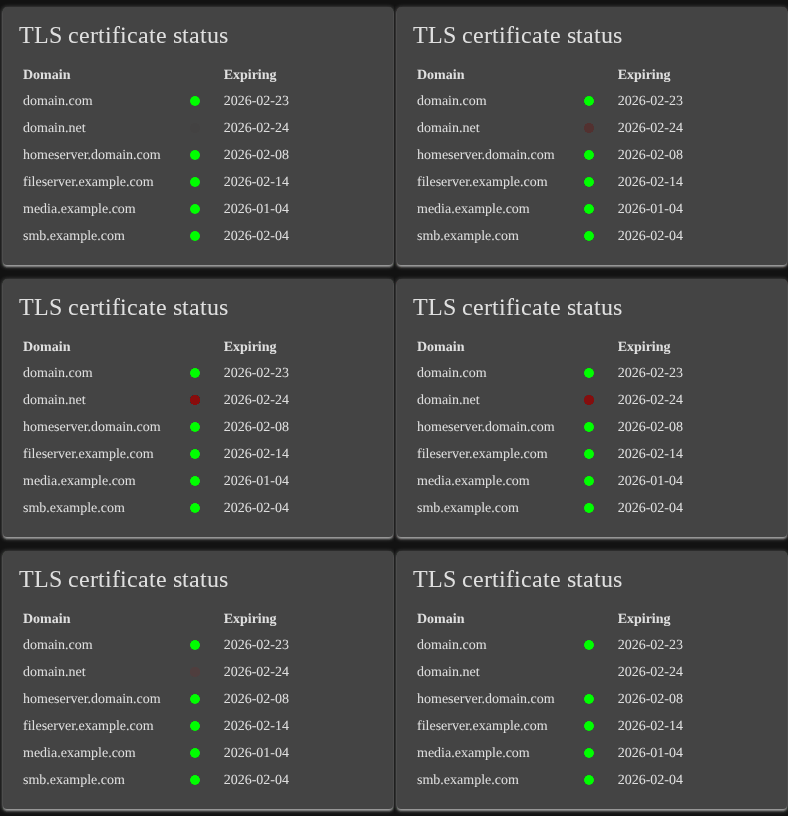
[2026-07-01] Added custom colors, orange = expiring soon, red = expired
Create a new directory in /var/www/html/TLSMonitor. After downloading all the files edit daily-tls-expiry-check.sh for adding your own notification types, for example Email, gotify, ntfy or social media APIs.
Install Sqlite3 apt install sqlite3Copy
Create directory mkdir -p /var/www/html/TLSMonitorCopy
Download setup.sh curl https://raw.githubusercontent.com/saudiqbal/saudiqbal.github.io/refs/heads/main/files/TLSMonitor/setup.sh -o "/var/www/html/TLSMonitor/setup.sh"Copy
Download daily-tls-expiry-check.sh curl https://raw.githubusercontent.com/saudiqbal/saudiqbal.github.io/refs/heads/main/files/TLSMonitor/daily-tls-expiry-check.sh -o "/var/www/html/TLSMonitor/daily-tls-expiry-check.sh"Copy
Download index.php curl https://raw.githubusercontent.com/saudiqbal/saudiqbal.github.io/refs/heads/main/files/TLSMonitor/index.php -o "/var/www/html/TLSMonitor/index.php"Copy
Download tlsmanagement.php curl https://raw.githubusercontent.com/saudiqbal/saudiqbal.github.io/refs/heads/main/files/TLSMonitor/tlsmanagement.php -o "/var/www/html/TLSMonitor/tlsmanagement.php"Copy
Download tlsDomainDelete.php curl https://raw.githubusercontent.com/saudiqbal/saudiqbal.github.io/refs/heads/main/files/TLSMonitor/tlsDomainDelete.php -o "/var/www/html/TLSMonitor/tlsDomainDelete.php"Copy
Give execution permission to the bash script chmod +x /var/www/html/TLSMonitor/setup.shCopy
And
Give execution permission to the bash script chmod +x /var/www/html/TLSMonitor/daily-tls-expiry-check.shCopy
Start the installation by running the command bash /var/www/html/TLSMonitor/setup.shCopy
To add or remove more domains or subdomains visit yourserver.com/TLSMonitor/tlsmanagement.php in your browser or in your terminal run setup.sh file again.
Crontab Setup
Add a cron job by editing cron crontab -e
Add new daily cron 0 0 * * * /bin/bash /var/www/html/TLSMonitor/daily-tls-expiry-check.sh > /dev/null 2>&1Copy
Screenshot
Let me know if you have any comments or if there is any error in this guide.
## Disclaimer
The software provided in this repository is for educational and informational purposes only. Under no circumstances shall the author or contributors be liable for any direct, indirect, incidental, special, exemplary, or consequential damages arising out of the use or inability to use this software. The author will not be liable for any special, incidental, consequential or indirect damages due to loss of data or any other reason.