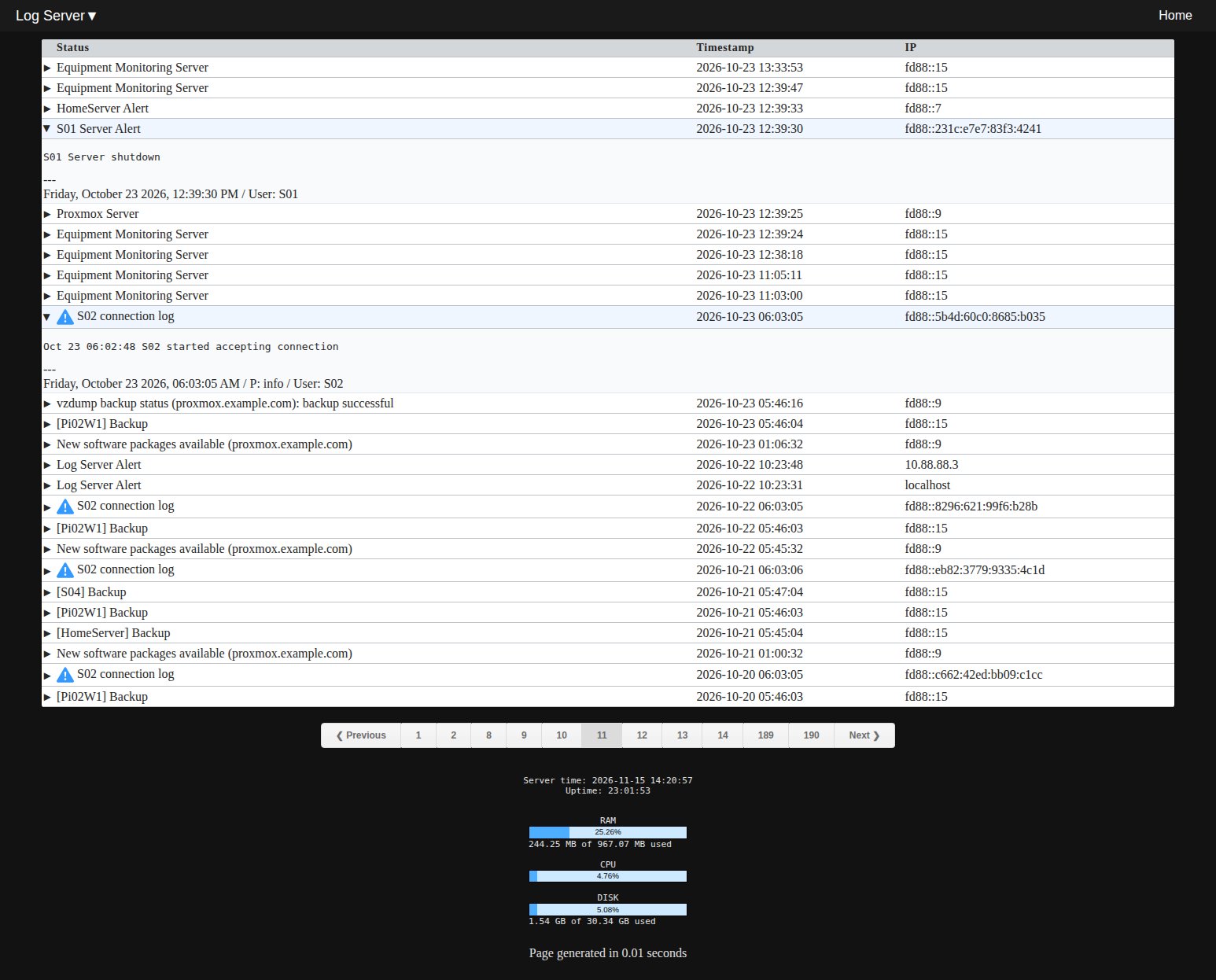
A private self hosted central log server for collecting logs from all sorts of different services using Webhook, curl, wget or Json. To add or remove external authentication for service calls edit passwords and server names in notification.php and notification-json.php files.
Quick Demo: Click on the table header row to expand or collapse all log details at once.
You can omit the priority or add it using numbers from 1 to 10 which matches Proxmox or using the keywords - info, warning or error.
To receive notifications as a Gotify server set an alias in your Apache or Nginx config. Example for Apache server Alias /LogServer/gotify/message /var/www/html/LogServer/gotify/gotify.php
To receive notifications from Proxmox server use this as an example
Add a secret: Key = apikey, password = YourPassword
Method/URL: https://example.com/LogServer/notification-json.php
Body
{
"token": "{{ secrets.apikey }}",
"title": "{{ escape title }}",
"message": "{{ escape message }}",
"priority": "{{ severity }}"
}
Screenshot
Notes
For personal or testing use recommended. Tested on Debian 13 on a Proxmox VM, Raspberry Pi and a VPS server.
Examples for inserting logs into Database
Curl Example
curl -sSG --max-time 5 "https://example.com/LogServer/notification.php?token=NloqYbEIS14h" --data-urlencode "title=Test Title" --data-urlencode "message=Test server finished booting" --data-urlencode "priority=4"Copy
Wget Example
wget -O - "https://example.com/LogServer/notification.php?token=NloqYbEIS14h&title=Wget Test Title&message=Wget Test server finished booting&priority=warning"Copy
Curl Json example call using POST
#!/bin/bash

SCRIPT_NAME="[Test Server]"
NL="\n"
TIMESTAMP=$(date +%Y-%m-%d_%H-%M-%S)

log_message+="${SCRIPT_NAME} Starting Json Post Test"
log_message+="${NL}${SCRIPT_NAME} Processing Line 2"
log_message+="${NL}${SCRIPT_NAME} Processing Line 3"
log_message+="${NL}${SCRIPT_NAME} Ending Json Post Test"

generate_post_data()
{
cat <<EOF
{
"token": "NloqYbEIS14h",
"title": "$SCRIPT_NAME",
"message": "$log_message",
"priority": "4"
}
EOF
}
curl -i -H "Accept: application/json" -H "Content-Type:application/json" -X POST --data "$(generate_post_data)" "https://example.com/LogServer/notification-json.php"
exit 0
Database Pruning And Maintenance
Prune old or unwanted data logs by using a cron job to run scheduled maintenance. Example cron to keep the last 25000 records and delete the rest: 0 0 * * * /usr/bin/php /var/www/html/LogServer/delete-old-records.phpCopy
Let me know if you have any comments or if there is any error in this guide.
## Disclaimer
The software provided in this repository is for educational and informational purposes only. Under no circumstances shall the author or contributors be liable for any direct, indirect, incidental, special, exemplary, or consequential damages arising out of the use or inability to use this software. The author will not be liable for any special, incidental, consequential or indirect damages due to loss of data or any other reason.